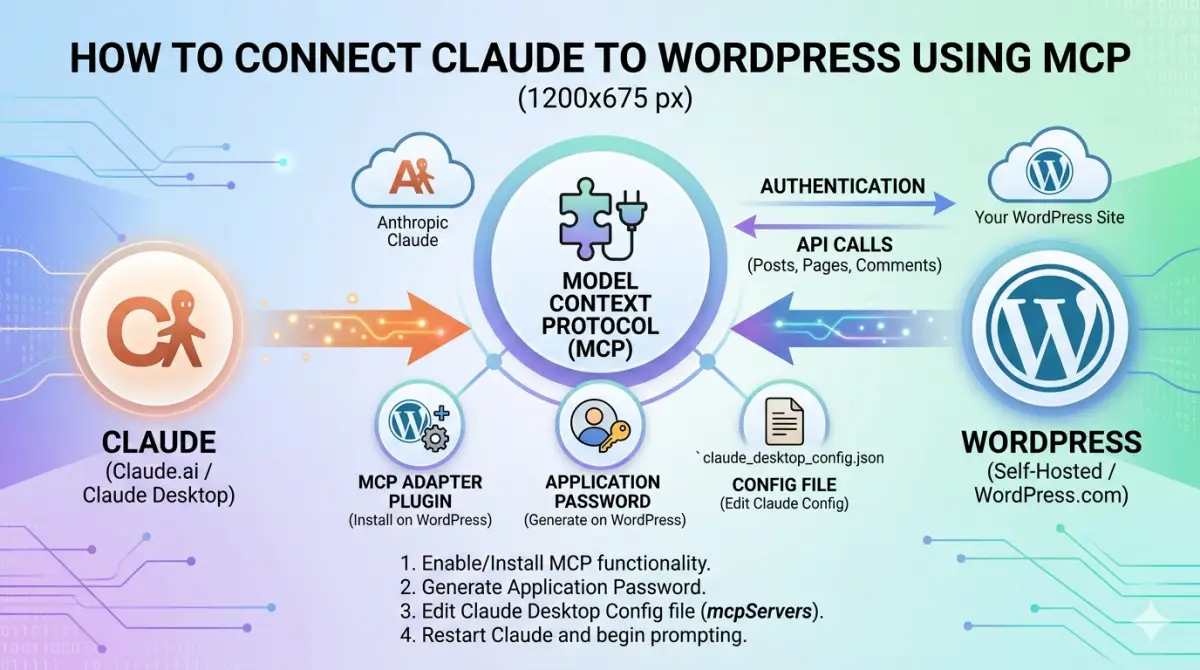
Connecting Claude directly to your WordPress site via the Model Context Protocol lets you create posts, manage media, update categories, and control your entire site through conversation – no admin panel needed. This guide covers the two main methods: WordPress.com native MCP for hosted sites, and the Easy MCP AI plugin for self-hosted installations.
What MCP Does
MCP is an open standard that lets AI assistants connect to external tools and data sources. Once connected, Claude can read and write to your WordPress site directly from the chat interface. You describe what you want – a new draft post, a category update, a media search – and Claude executes it via authenticated API calls. No copy-pasting, no switching tabs.
Method 1: WordPress.com Native MCP
If your site is hosted on WordPress.com, MCP support is built in. No plugin required.
Go to wordpress.com/me/mcp and sign in. Toggle Enable MCP Access. You will see two permission groups – Read (36 of 39 tools enabled by default) and Write (17 of 21 tools enabled by default). Leave the defaults unless you have a specific reason to restrict access.
Once enabled, open Claude.ai and go to the Connectors panel. WordPress.com appears as an official connector. Click Connect and authorise via OAuth. Claude will immediately have access to all your WordPress.com sites under that account.
The WordPress.com connector gives Claude access to posts, pages, media, categories, tags, comments, and patterns. You can create drafts, update existing posts, search the media library, and manage taxonomies entirely through conversation.
Method 2: Easy MCP AI Plugin (Self-Hosted)
For self-hosted WordPress installations, the Easy MCP AI plugin creates an MCP endpoint directly on your server.
Install and activate Easy MCP AI from the WordPress plugin directory. Go to Settings and generate an API token. The plugin will display your MCP endpoint URL in the format: yoursite.com/wp-json/easy-mcp-ai/v1/mcp/[token]
In Claude.ai, go to Connectors and add a custom connector. Paste your endpoint URL. Claude will connect immediately and confirm the available tools.
The Easy MCP AI plugin offers one significant advantage over the WordPress.com native connector: it exposes Yoast SEO fields (yoast_focuskw, yoast_title, yoast_metadesc) and custom schema fields as writable REST fields. This means Claude can set your SEO title, meta description, focus keyphrase, and JSON-LD schema automatically when creating a draft – a fully automated publishing workflow with no manual SEO work.
What Claude Can Do Once Connected
With either method connected, Claude can create a complete post draft in a single operation – title, HTML content, categories, featured image (by media library ID), excerpt, and status. On self-hosted sites with Easy MCP AI, Yoast SEO fields and schema are set in the same operation.
Media management works well via MCP. Claude can search your media library by filename, retrieve attachment IDs and dimensions, and update alt text. This is useful for building image caption shortcodes automatically without manually looking up IDs in the WordPress admin.
Category and tag management is fully accessible. Claude can list existing categories, create new ones, and assign posts to the correct taxonomy – including retrieving the ID of a newly created category and using it immediately in a post draft.
Limitations to Know
Neither method currently supports direct media upload from Claude. Images need to be uploaded to the WordPress media library manually, after which Claude can retrieve the attachment ID and use it in posts. For full-size images this is not a significant constraint – direct upload via base64 encoding is impractical for large files in any case.
The WordPress.com native connector does not expose Yoast SEO fields. If automated SEO field population is important to your workflow, the Easy MCP AI plugin on a self-hosted installation is the better choice.
The Workflow in Practice
A typical publishing session with MCP connected looks like this: research and write the article in conversation with Claude, upload the featured image to WordPress media library, provide the image URL to Claude, and instruct Claude to create the draft. Claude searches the media library for the attachment ID, builds the complete post with all fields set, and returns the draft edit link. Review, publish.
On a self-hosted site with Easy MCP AI, that same operation also sets the Yoast SEO title, meta description, focus keyphrase, and JSON-LD schema. The entire workflow from brief to publish-ready draft takes minutes rather than the hour it would take working manually across multiple tools.

John Moore is the editor of fastai.news, an independent publication covering developments in artificial intelligence.
He founded fastai.news in April 2026 to apply the same rigorous, neutral reporting standards he established at Powerboat News – his international publication – to the fast-moving world of AI.
With no filler and no opinion, fastai.news reports what is happening in AI models, research, business and tools, and leaves readers to draw their own conclusions.
John is based in Buckinghamshire, England.